- Setting up Sensors and Conditions - List of Values, presentation of values in the Navigation page - Configuring Relative Wind Sensor
- Configuring True Wind Sensor - Configure GAUGE1 as Rudder
Configuring Relative Wind Sensor
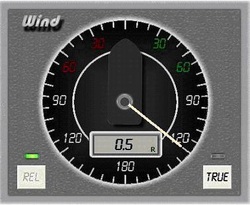
True & Relative information is subject to sensor’s calculations.
Wind Alarm can be setup at POPT page. A wind alarm indicator is available at all pages
The NMEA sentences related to wind are MWD, MWV, VWR
If MWV is available for both Rel and True NMEA data are enough to complete the Wind’s instrument configuration.
$--MWV x.x a x.x a A *hh <CR><LF> 1 2 3 4 5 6 7 8 Identifier MWV Angle 0-359 Wind
Type T Wind
Speed value Unit
Type K
(Km/h) M
(m/sec) N
(Knots) Status V
(Invalid) A
(Valid) Checksum Enter End
of sentence
R

|
|
|
Comments |
|
Name= |
Wind Speed (Rel) |
Type a name for the condition |
|
Port_No= |
type the Port |
Select the communication port from the list |
|
Identifier= |
MWV |
NMEA identifier |
|
Ref= |
|
- |
|
Ref_Location= |
|
- |
|
Field_Type= |
Numeric with Status |
We have to decode the sentence only if the status is R |
|
Field_Location= |
4 |
The location of value (Wind Speed) |
|
Ratio= |
1 |
- |
|
Offset= |
0 |
- |
|
Status= |
R |
The status indicating Rel Wind |
|
Status_Location= |
3 |
The location of R |
|
Unit= |
|
|
|
Unit_Location= |
|
|
|
Assign= |
Value_02 |
Assign to Value_02 (Relative Wind Speed) |
Now add a new condition for Relative Wind Direction (Value_01)
|
|
|
Comments |
|
Name= |
Wind Dir (Rel) |
Type a name for the condition |
|
Port_No= |
type the Port |
Select the communication port from the list |
|
Identifier= |
MWV |
NMEA identifier |
|
Ref= |
|
- |
|
Ref_Location= |
|
- |
|
Field_Type= |
Numeric with Status |
We have to decode the sentence only if the status is R |
|
Field_Location= |
2 |
The location of value (Wind Speed) |
|
Ratio= |
1 |
- |
|
Offset= |
-90 |
Set 0 to the instrument's zero |
|
Status= |
R |
The status indicating Rel Wind |
|
Status_Location= |
3 |
The location of R |
|
Unit= |
|
|
|
Unit_Location= |
|
|
|
Assign= |
Value_01 |
Assign to Value_01 (Relative Wind Direction) |
